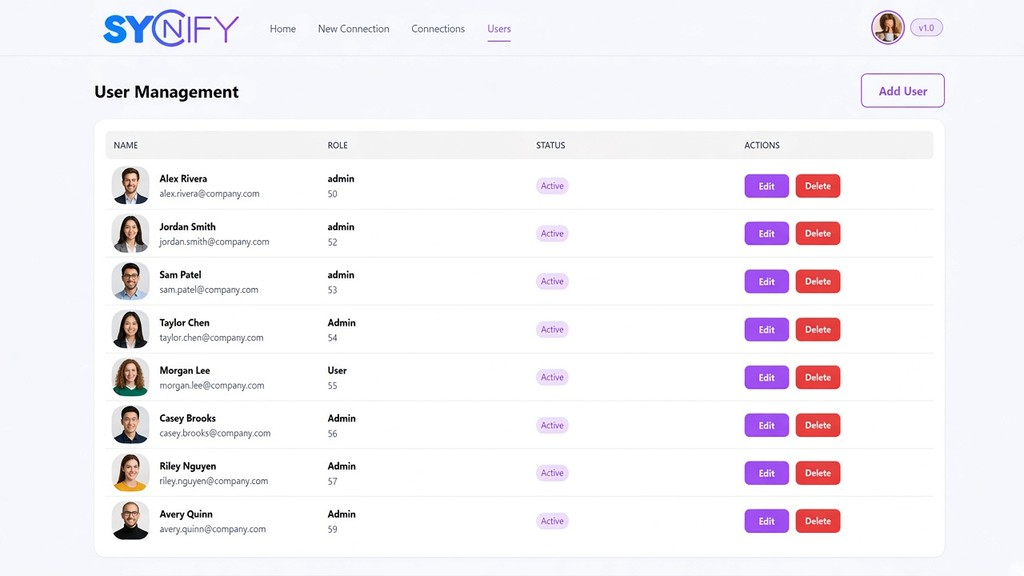
Built for teams
Shopify can add costs as your team grows. Syncify provides a multi-user workspace at a standard price, making it easier for your team to manage store operations without adding a separate cost for every user.

Syncify
Clean, modern integration platform for real-time Shopify sync and data migration connect stores, and keep catalogs aligned in one place.
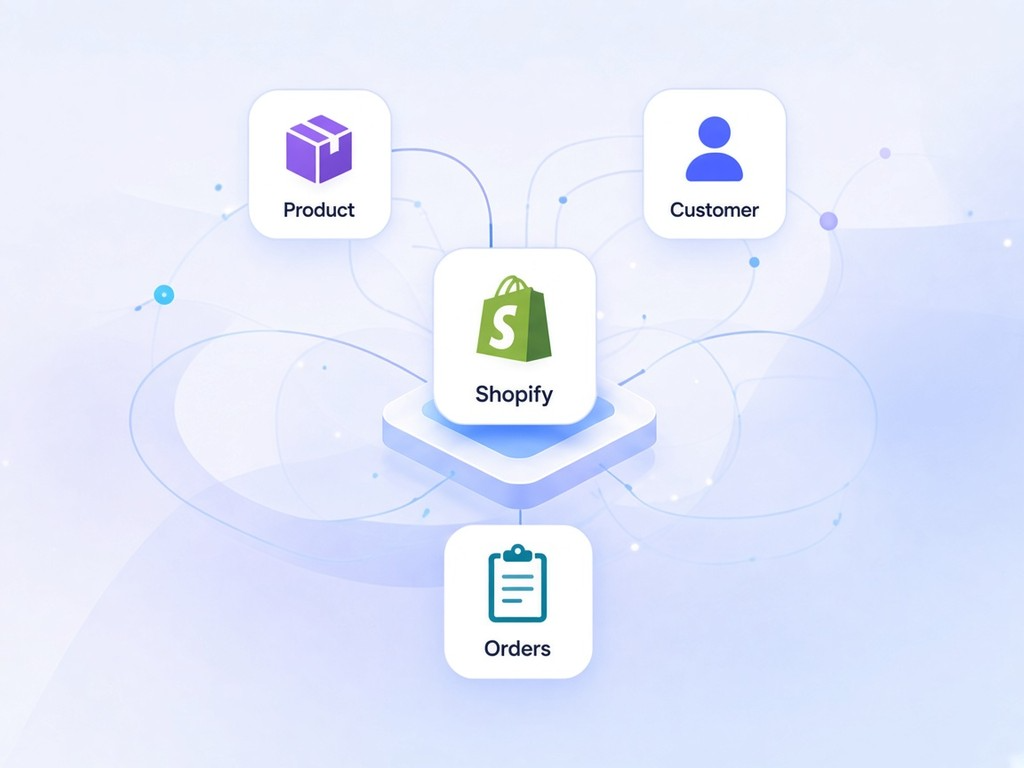
Everything you need to keep Shopify catalogs, customers, and orders in sync built for teams.
Shopify can add costs as your team grows. Syncify provides a multi-user workspace at a standard price, making it easier for your team to manage store operations without adding a separate cost for every user.
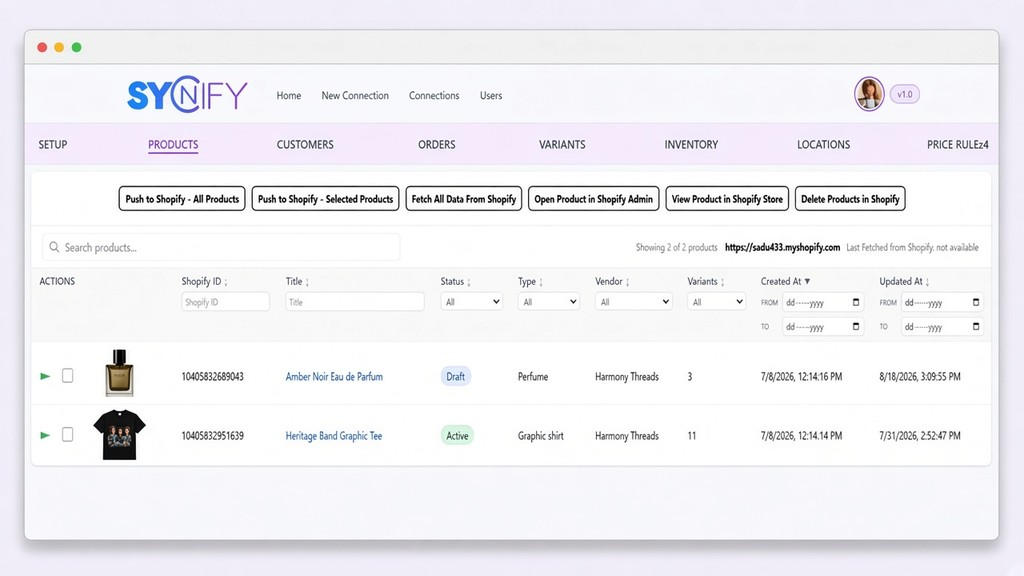
Staff can only access the areas they need. No more fear of over-access to settings or apps roles keep everything secure.
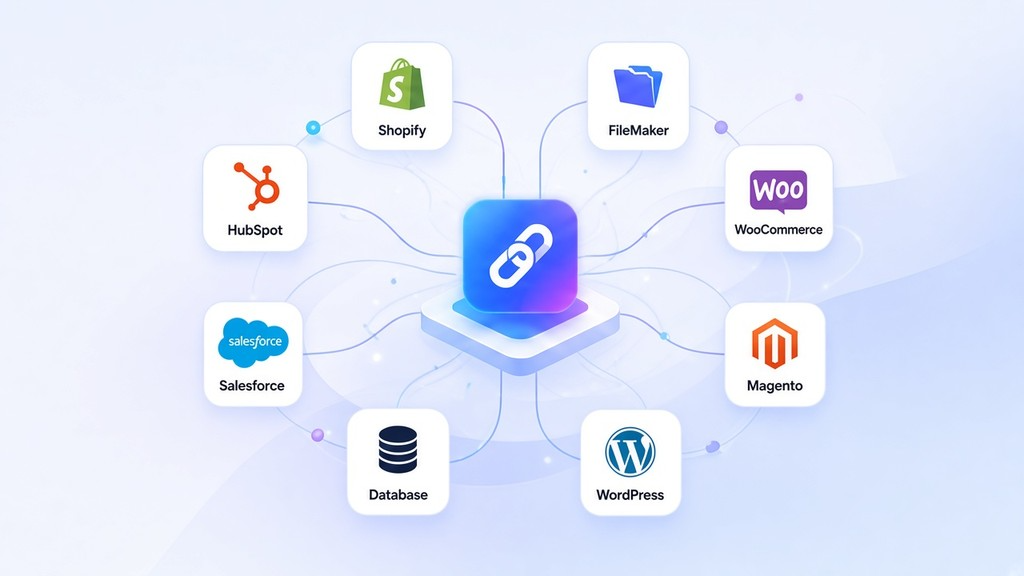
Syncify is designed to adapt to your workflow. Need additional functionality or a custom integration? Our platform can be extended with features tailored to your business needs.
From first connection to a running sync in four simple steps.
Link your Shopify store using your Shopify Admin API token.
Choose how your data should sync and set up your preferences.
Run your first sync or data migration and keep catalogs aligned.
Follow every run in the migration logs and check the outcome.
Watch how Syncify connects stores and keeps catalogs aligned.
See how to connect your store, set up sync and follow the results. Press play to start the video.
Everything you need to get started and go live.
Onboarding steps, connection setup with Shopify Admin API token, and first sync checklist.
Open Getting Started Guide (PDF)Products, orders, customers, and metafields sync behavior.
Open Shopify Sync Reference (PDF)Choose the plan that fits your store operations. Upgrade or downgrade anytime.
Try Syncify with a risk-free test experience.
PKR · free for 7 days
Everything you need to connect, migrate, and manage your store with ease.
PKR · billed monthly
Not open for purchase yet. You can start with the free trial.
Advanced capabilities for growing businesses and teams managing multiple stores.
PKR · billed monthly
Not open for purchase yet. You can start with the free trial.
Extend Syncify with custom features and additional integrations. Choose stores, users, and platforms tailored to your business.
Priced to your needs
All plans include mandatory 2FA security. Prices shown in PKR. Pay via Credit / Debit Card, JazzCash.
Quick answers about setup, plans and security.
Syncify is an integration platform for real-time Shopify sync and data migration. It connects stores and keeps catalogs, customers and orders aligned in one place.
You connect with your Shopify Admin API token. The Getting Started guide explains the connection setup and gives you a checklist for your first sync.
Products, orders, customers and metafields. The Shopify sync reference in the documentation describes how each of them behaves.
Yes. The Free plan lasts 7 days and includes 1 test store, 1 user and a limited test migration. No payment is needed to start.
Free: 1 test store and 1 user. Basic: 1 store and up to 4 users. Premium: 4 stores and up to 20 users. The Custom plan is set up around your needs.
Yes. You can upgrade or downgrade at any time.
All plans include mandatory 2FA. Staff can only open the areas they need, because access is limited by role.
Syncify can be extended with custom features and extra integrations. Contact us and tell us what you need.
Clean, modern integration platform for real-time Shopify sync and data migration connect stores, and keep catalogs aligned in one place.
Everything you need to keep Shopify catalogs, customers, and orders in sync built for teams.
Shopify can add costs as your team grows. Syncify provides a multi-user workspace at a standard price, making it easier for your team to manage store operations without adding a separate cost for every user.
Staff can only access the areas they need. No more fear of over-access to settings or apps roles keep everything secure.
Syncify is designed to adapt to your workflow. Need additional functionality or a custom integration? Our platform can be extended with features tailored to your business needs.
Everything you need to get started and go live.
Onboarding steps, connection setup with Shopify Admin API token, and first sync checklist.
Download guide (.pdf)Products, orders, customers, and metafields sync behavior.
Download reference (.pdf)Try Syncify with a risk-free test experience.
Everything you need to connect, migrate, and manage your store with ease.
Advanced capabilities for growing businesses and teams managing multiple stores.
All plans include mandatory 2FA security. Prices shown in USD. Need a custom plan? Contact us .


Tell us when suits you and we will get back to you by email.
Continue to start your plan.
By continuing, you agree to Syncify's Terms and Privacy Policy.